Graph paper online, beautifully endless and free.
Turn on the grid and start writing. Plot points, sketch the line and label it, on paper that never runs out.
Open graph paperfree in your browser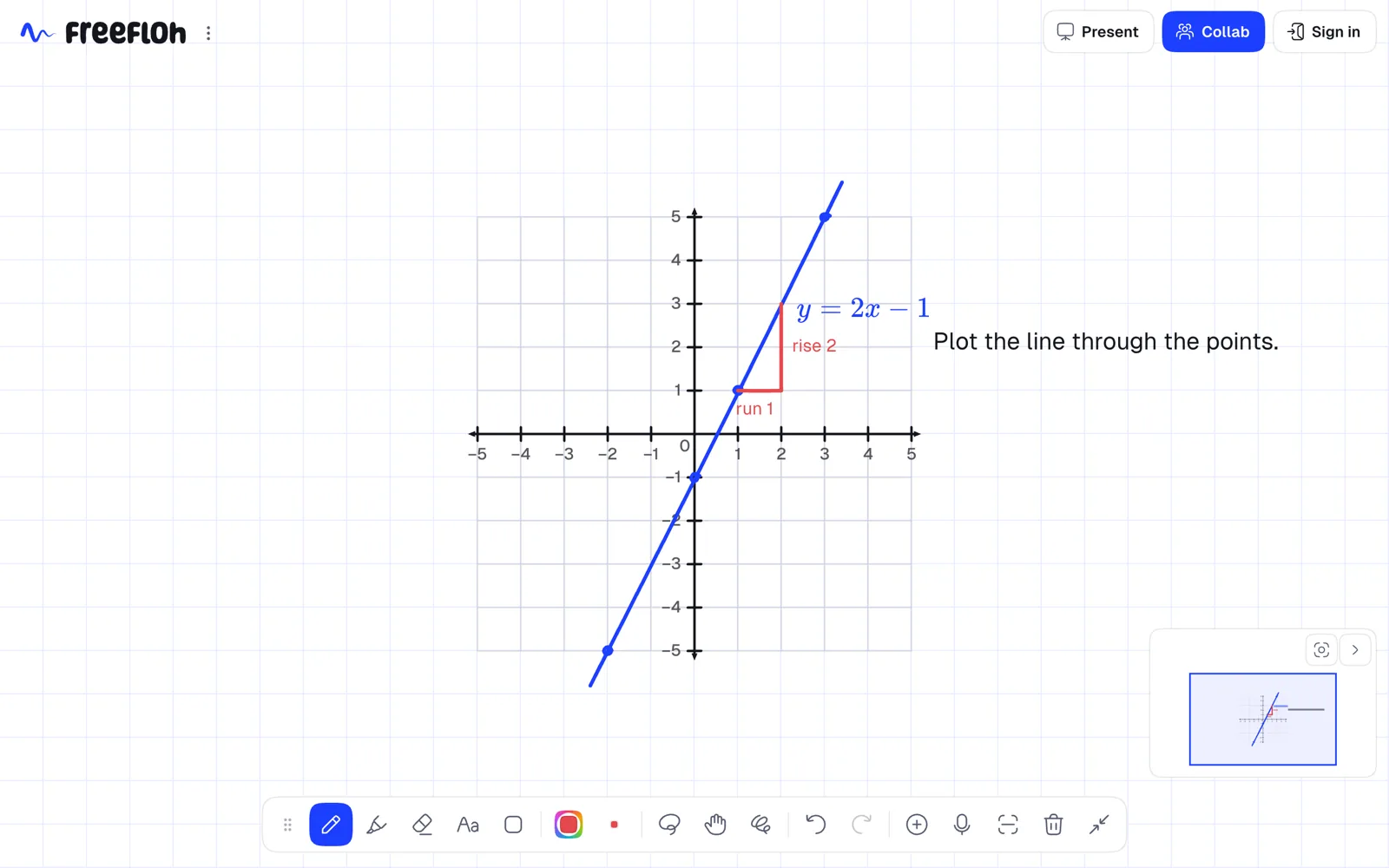
Turn on the grid and start writing. Plot points, sketch the line and label it, on paper that never runs out.
Open graph paperfree in your browserOpen a board and tap the ⋮ beside the FreeFloh logo. The button above skips straight to step 3.
Set Background to Grid. The whole board turns into square graph paper, in light or dark.
Write with a pen, a stylus or a mouse. Zoom out and there is always more paper.
Say you are drawing axes by hand for the third time this lesson and the scale keeps drifting. Drop in a graph or a coordinate grid instead, and plot on top of it.
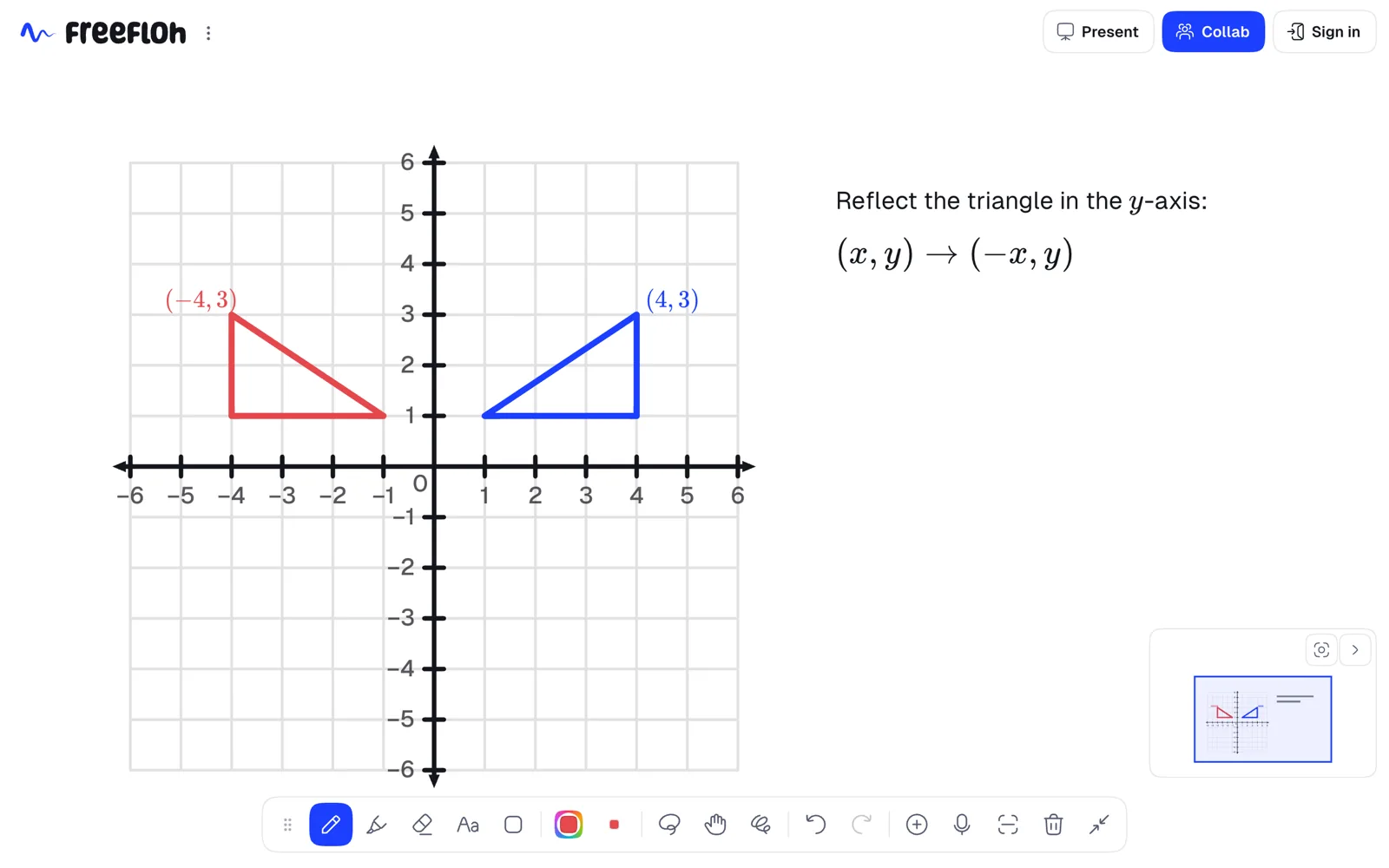
Say a student needs y = 2x − 1 plotted, labelled and explained before tomorrow's quiz. All of it fits on the same grid.
Ink follows the pressure of an Apple Pencil or a stylus, in any color, with a highlighter and an eraser beside it.
Type an equation between dollar signs, such as $y = 2x - 1$, and it is set in clean math.
Pick a light or dark theme. The grid stays faint behind your ink in both.
Record the grid, your voice and a pointer as a video while you explain, free once you sign in with Google.
Say your student finishes the graph at home and needs it on paper for class. Export a PNG and print it, or leave it on the board and keep going tomorrow.
FreeFloh doesn't plot equations for you. To graph a function from its equation, Desmos and GeoGebra are the right tools. For a printable PDF of blank graph paper in a set size, a printable-paper site is quicker. FreeFloh is for working by hand on a grid, and explaining it.
Yes. The grid background, the axes and every pen are free.
Export a PNG from Capture once you sign in with Google, then print the image. There is no print button inside FreeFloh.
Yes. Shapes, then Diagrams, adds a graph or a coordinate grid that lines up with the squares.
The squares have one size, and you zoom in or out to make them look bigger or smaller.
No. FreeFloh is for plotting and sketching by hand. Desmos and GeoGebra graph equations.
Open a board, set Background to Grid and start plotting.
Open graph paperfree in your browserFreeFloh is built by a teacher, for teachers. Used in real classes across dozens of school districts and the world's leading learning sites like nerd-notes.com.